Syncthing測評
2024年12月27日跨电脑文件夹同步工具有很多。我以前一直用Resilio Sync,最近嘗試了Syncthing。本文對Syncthing做一個總結和經驗分享。
推荐用Syncthing吗?
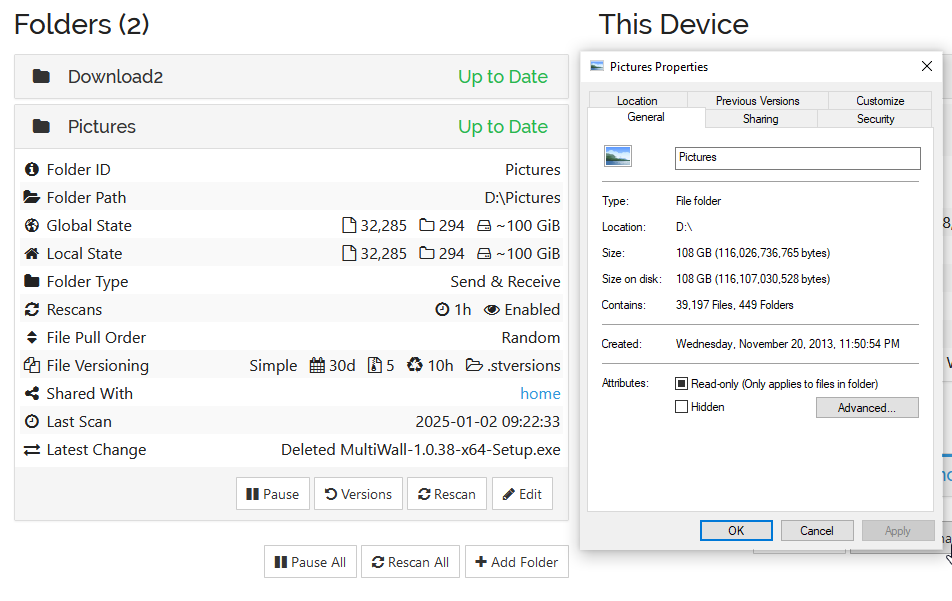
不推荐。Syncthing不是工业级的软件,缺少强壯性、安全性,这或许可以通过精心的调教来达到,但非常麻烦。而且Syncthing的同步算法不稳定,即使Synthing显示Up to date,可能仍有文件未同步。[1]
调教与最佳设置
我建議folder defaults應該要開啓file versioning。推薦用Simple File Versioning。Clean out after 30 days, Cleanup Interval 36000 seconds。建議把global ignore pattern設置爲跟Resilio Sync一樣的内容。
$RECYCLE.BIN
$Recycle.Bin
System Volume Information
ehthumbs.db
desktop.ini
(?d)Thumbs.db
lost+found
.DocumentRevisions-V100
.TemporaryItems
.fseventsd
.icloud
.iCloud
(?d).DS_Store
.DS_Store?
.Spotlight-V100
.Trashes
.Trash-*
~*
(?d)~$*
(?d)*~
.~lock.*
*.part
*.filepart
.csync_journal.db
.csync_journal.db.tmp
*.swn
*.swp
*.swo
*.crdownload
.@__thumb
.thumbnails
._*
*.tmp
*.tmp.chck
.dropbox
.dropbox.attr
.dropbox.cache
.streams
.caches
.Statuses
.teamdrive
.SynologyWorkingDirectory
@eaDir
@SynoResource
.!@#$recycle
DfsrPrivate
.sync
抢救措施
如果你误用Syncthing,发现它可能忘记同步某些文件了,可以试试这节的内容能不能帮到你。
希望你已经按照“调教与最佳设置”一节开启了file versioning。不需要用Syncthing自带的versions功能,它操作起来缺少给用户的反馈,让人不放心。
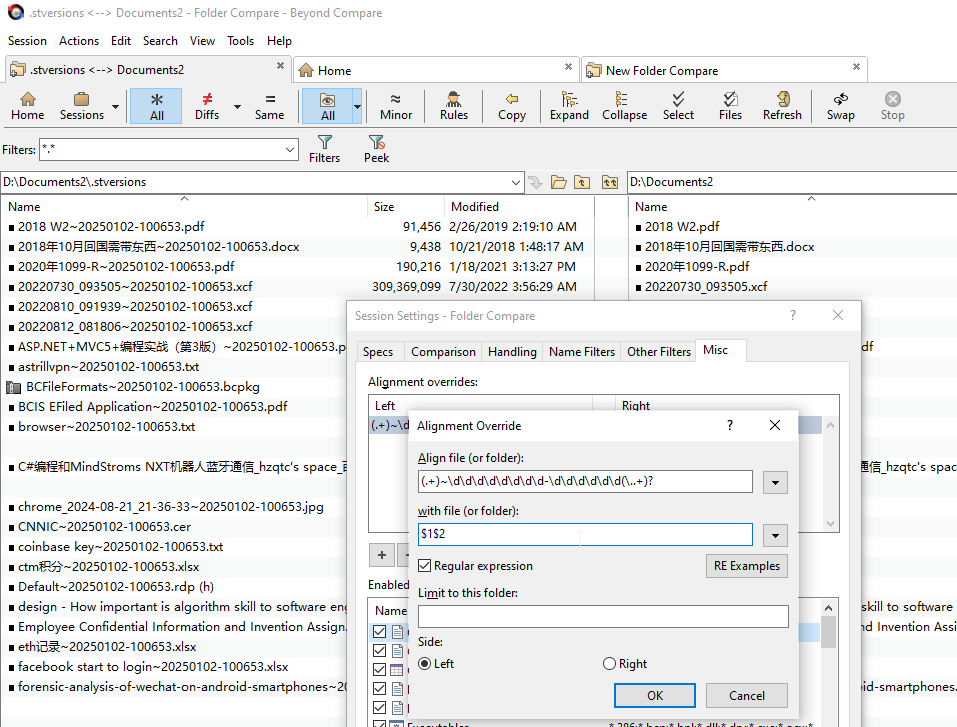
我用的是Beyond Compare folder compare。设置alignment overrides,就可以把Syncthing stversions里的带后缀的备份文件跟外面的常规文件对应起来,方便比较。
Syncthing的优点
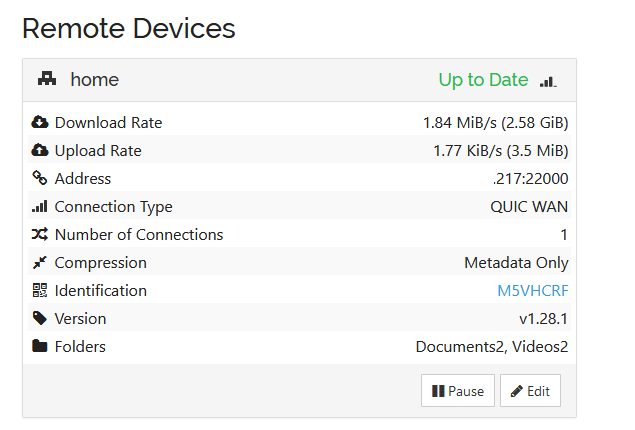
在非直連情況下(relays used),Syncthing的传输速度比较快。Syncthing有一个待传文件列表,用户可以优先传输某些文件,也可以按文件名、按修改日期等排序来传。
Syncthing经常被宣称为Resilio Sync的开源替代品。Syncthing可以同步所谓的extended attributes[2]。NTFS交换数据流(alternate data streams, alt streams)理论上属于extended attributes[3],但Syncthing目前不识别alt streams。
Syncthing的GUI是网页,对某些用户来说可能较不直觉。在Syncthing建立同步,需要在电脑A选取文件夹,复制电脑ID;电脑B输入电脑A的ID;电脑A输入电脑B的ID,同意共享文件夹给电脑B;电脑B同意同步电脑A的文件夹。对于首次同步,需要在两台物理上有距离的电脑上来回跑好几次。不像Resilio Sync复制一个链接就可以。在兩臺電腦已建立鏈接的情況下,若新增一個同步文件夾,則peer上會自己提示。
Syncthing的默認值設置得不好。開發團隊追求擴展性、簡潔性、通用性。某一默認值可能會犧牲1%、2%的用戶,開發團隊也不願意改。在《Ignore some files by default?》,社群試圖一次性通過一組默認值,而不是對默認值裏的項目逐條審查,導致10年過去了,還沒有討論好用哪一“組”默認值。核心開發者甚至建議用戶寫一個Go/C++程序來設置默認值。
Syncthing provides the global ignore pattern and the #include directive. But #include can’t take absolute path for “security” reasons[4]. I don’t comprehand why an absoulte path is insecure, after all the whole OS is user’s. Hence global ignore pattern and the #include directive does not mitigate the problem of no good default ignore entries.
表格1總結了Syncthing的優缺點。
| 優點 | 缺點 |
|---|---|
| 傳輸速度快 | 網頁操作不直觀 |
| 可以查看待傳文件 | 兩臺電腦建立連接麻煩 |
| 可對待傳文件排序,或手動調整順序 | 不支持Windows alt streams |
| 同步算法不穩定,有可能遗漏文件 | |
| 默認不啓用備份,文件誤刪除欲哭無淚 | |
| 默認同步所有文件(臨時文件、系統級文件等),易造成衝突或傳輸體積過大 |
References
- TitusArantxa. “Up to Date” however certain files are missing!. . 2022-12-22 [2025-01-02].[↩]
- . syncXattrs. Syncthing Documentation. [2024-12-21].[↩]
- calmh. RFC: Syncing extended attributes. . 2022-05-22 [2024-12-21].[↩]
- . Proposal: Support absolute include paths in .stignore. . 2019-10-19 [2024-12-30].[↩]
[…] 參見《Syncthing測評》。 […]